





Website performance is crucial for any blog, as it directly impacts user experience, search engine rankings, and overall engagement. When a blog loads quickly, visitors are more likely to stay, read content, and share it with others. Conversely, slow-loading pages can lead to high bounce rates, where users leave before even seeing what you have to offer. In today’s fast-paced digital world, attention spans are short, and users expect instant access to information.
Moreover, search engines like Google consider page speed as a ranking factor. A well-performing blog can improve your visibility in search results, driving more organic traffic to your site. This means that investing time and resources into optimizing your blog’s performance is not just a technical necessity; it’s a strategic move that can enhance your reach and influence in your niche.
Key Takeaways
- Website performance is crucial for blogs as it impacts user experience and search engine rankings.
- Choosing the right hosting provider is essential for ensuring fast loading times and minimal downtime for your blog.
- Optimizing images and media can significantly improve loading times and overall website performance.
- Implementing caching and CDNs can help reduce server load and improve website speed for users across the globe.
- Minimizing HTTP requests and using efficient code can greatly enhance website performance and user experience.
Choosing the Right Hosting Provider for Your Blog
Selecting the right hosting provider is one of the most critical decisions you’ll make for your blog. A reliable host ensures that your site remains accessible and performs well under various conditions. When evaluating hosting options, consider factors such as uptime guarantees, server speed, and customer support. A host with a solid reputation for reliability can save you from potential headaches down the line.
Additionally, think about scalability. As your blog grows, you may need more resources to handle increased traffic. Look for hosting providers that offer flexible plans or easy upgrades. Managed WordPress hosting is often a good choice for bloggers, as it typically includes performance optimizations tailored specifically for WordPress sites. Ultimately, the right hosting provider can lay a strong foundation for your blog’s performance.
Optimizing Images and Media for Faster Loading Times

Images and media are essential components of any blog, but they can also be significant culprits when it comes to slow loading times. Large image files can drastically increase page load times, leading to a frustrating experience for users. To optimize images, start by compressing them without sacrificing quality. Tools like TinyPNG or ImageOptim can help reduce file sizes while maintaining visual integrity.
In addition to compression, consider using the appropriate file formats. For instance, JPEG is often best for photographs, while PNG works well for images with transparency. You might also explore newer formats like WebP, which provide better compression rates without losing quality. By optimizing your images and media effectively, you can significantly enhance your blog’s loading speed and overall performance.
Implementing Caching and Content Delivery Networks (CDNs)
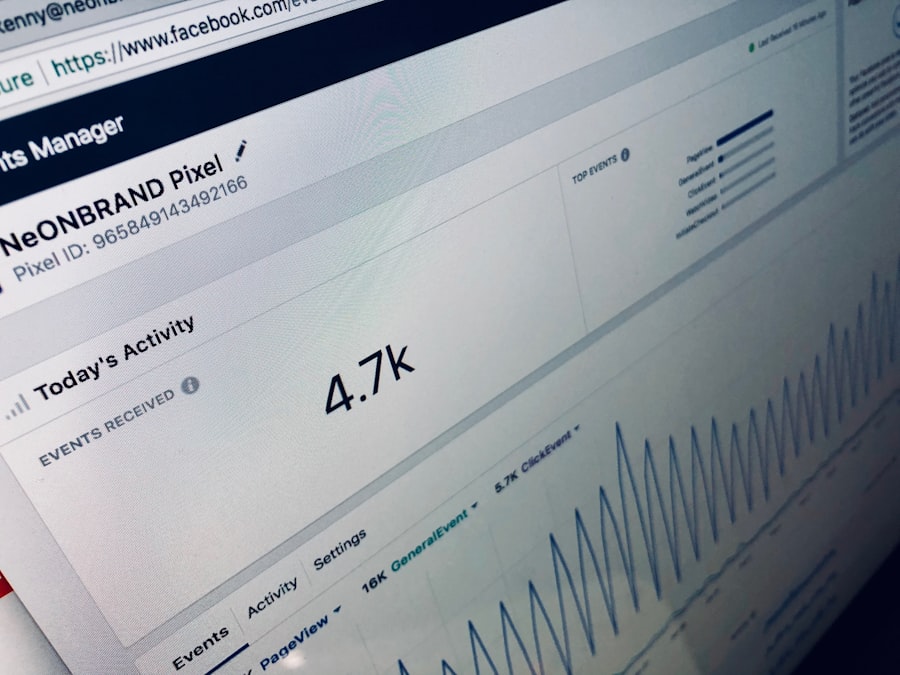
Caching is a powerful technique that can dramatically improve your blog’s performance by storing copies of your pages and serving them to users without needing to generate them from scratch each time. This reduces server load and speeds up delivery times. Many content management systems (CMS) offer caching plugins that make implementation straightforward.
In addition to caching, consider using a Content Delivery Network (CDN). A CDN distributes your content across multiple servers worldwide, allowing users to access your blog from a server that is geographically closer to them. This reduces latency and speeds up loading times significantly. By combining caching with a CDN, you can create a robust performance strategy that enhances user experience and keeps visitors coming back.
Minimizing HTTP Requests and Using Efficient Code
“`html
| Metrics | Value |
|---|---|
| Page Load Time | 3.5 seconds |
| Number of Page Views | 10,000 |
| Bounce Rate | 40% |
| Average Session Duration | 2 minutes |
“`
Every element on a webpage—images, scripts, stylesheets—requires an HTTP request to load. The more requests your blog makes, the longer it takes to load. To minimize these requests, consider combining CSS and JavaScript files where possible. This reduces the number of files the browser needs to fetch, speeding up load times.
Efficient coding practices also play a vital role in performance. Clean, well-structured code not only improves loading times but also enhances maintainability. Avoid unnecessary plugins or scripts that can bloat your site. Regularly audit your codebase to identify areas for improvement. By focusing on minimizing HTTP requests and using efficient code, you can create a leaner, faster blog that provides a better experience for your readers.
Utilizing Lazy Loading for Images and Videos
Lazy loading is an effective technique that defers the loading of images and videos until they are needed—specifically when they come into the user’s viewport. This means that if a visitor doesn’t scroll down to see certain images or videos, those elements won’t load until they do. This approach can significantly reduce initial load times and improve perceived performance.
Implementing lazy loading is relatively straightforward with modern web technologies. Many content management systems offer built-in lazy loading features or plugins that make it easy to set up. By adopting this technique, you not only enhance loading speeds but also improve user engagement by ensuring that visitors can access content quickly without unnecessary delays.
Prioritizing Mobile Optimization for Blog Performance
With an increasing number of users accessing blogs via mobile devices, optimizing for mobile performance is no longer optional; it’s essential. A responsive design ensures that your blog looks good and functions well on various screen sizes. However, mobile optimization goes beyond just design; it also involves performance considerations.
Mobile users often rely on slower connections compared to desktop users, making it crucial to optimize loading times further for mobile devices. This includes compressing images more aggressively and minimizing the use of heavy scripts that could slow down performance on mobile networks. By prioritizing mobile optimization, you ensure that all users have a seamless experience regardless of how they access your content.
Monitoring and Analyzing Website Performance Metrics
To effectively improve your blog’s performance, you need to monitor and analyze relevant metrics regularly. Tools like Google PageSpeed Insights or GTmetrix provide valuable insights into how your site performs and where improvements can be made. These tools evaluate various aspects of your site’s speed and offer actionable recommendations.
Regularly reviewing these metrics allows you to identify trends over time and understand how changes impact performance. For instance, if you implement a new plugin or change hosting providers, monitoring metrics will help you gauge the effectiveness of those changes. By staying proactive in analyzing performance data, you can continuously refine your blog’s speed and user experience.
Implementing Browser Caching to Improve User Experience
Browser caching allows browsers to store certain elements of your website locally on users’ devices.
When visitors return to your blog, their browsers can load these cached elements instead of fetching them from the server again, resulting in faster load times.
To implement browser caching effectively, configure your server settings or use caching plugins that handle this automatically.
Setting appropriate cache expiration times is crucial; you want to balance between keeping content fresh and allowing browsers to cache elements long enough to improve load times significantly. By leveraging browser caching, you enhance user experience by providing quicker access to your content while reducing server load.
Utilizing Gzip Compression for Faster Page Loading
Gzip compression is another effective method for improving page loading speeds by reducing the size of files sent from your server to users’ browsers. When enabled, Gzip compresses HTML, CSS, and JavaScript files before they are transmitted over the network. This means less data needs to be transferred, resulting in faster load times.
Most modern web servers support Gzip compression, and enabling it is often as simple as adjusting server settings or adding a few lines of code to your .htaccess file if you’re using Apache servers. By utilizing Gzip compression, you can significantly enhance your blog’s performance without compromising content quality.
Optimizing Database Queries and Server Response Times
The efficiency of database queries plays a significant role in overall website performance. If your blog relies heavily on database interactions—such as retrieving posts or comments—optimizing these queries is essential for reducing server response times. Start by reviewing your database structure; ensure that indexes are used effectively to speed up data retrieval.
Additionally, consider using database caching solutions that store query results temporarily so that repeated requests don’t require hitting the database each time.
This can drastically reduce response times and improve user experience on your blog.
By focusing on optimizing database queries alongside server response times, you create a more responsive environment for your visitors.
In conclusion, enhancing website performance for your blog involves a multifaceted approach that includes choosing the right hosting provider, optimizing media files, implementing caching strategies, and continuously monitoring performance metrics. By taking these steps seriously and making informed decisions based on data analysis, you can create a fast-loading blog that keeps readers engaged and coming back for more.
FAQs
What is website performance for blogs?
Website performance for blogs refers to how well a blog website functions in terms of speed, user experience, and overall efficiency. It includes factors such as page load times, mobile responsiveness, and overall site reliability.
Why is website performance important for blogs?
Website performance is important for blogs because it directly impacts user experience, search engine rankings, and overall success of the blog. A fast and reliable website can lead to higher user engagement, better SEO rankings, and increased traffic.
What are some factors that affect website performance for blogs?
Factors that affect website performance for blogs include hosting quality, website design, image optimization, use of plugins, content delivery network (CDN), and overall website code efficiency.
How can I improve website performance for my blog?
To improve website performance for a blog, you can optimize images, use a reliable hosting provider, minimize HTTP requests, enable browser caching, utilize a content delivery network (CDN), and regularly monitor and optimize website speed.
What are some tools to measure website performance for blogs?
There are several tools available to measure website performance for blogs, including Google PageSpeed Insights, GTmetrix, Pingdom, WebPageTest, and Lighthouse. These tools can provide insights into areas for improvement and help optimize website performance.




0 Comments