




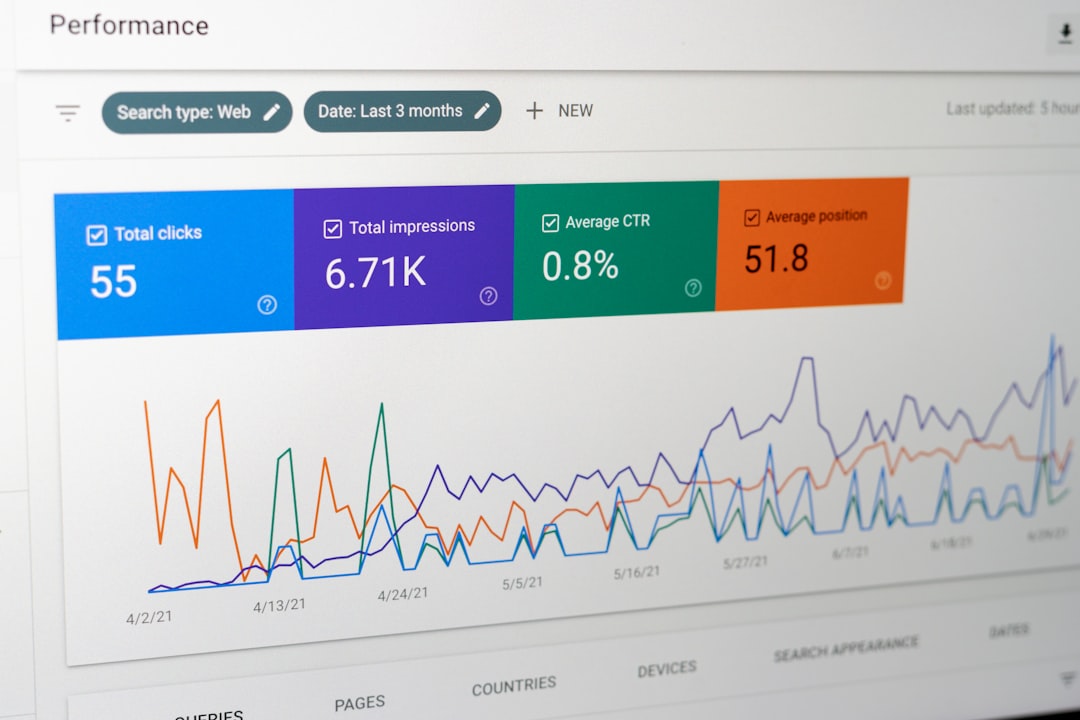
Blog usability is a critical factor that can significantly influence how visitors interact with your content. When a blog is easy to navigate, users are more likely to stay longer, engage with the material, and return for future visits. Usability encompasses various elements, including layout, design, and the overall user experience.
If your blog is cluttered or difficult to navigate, even the most compelling content may go unnoticed.
Therefore, understanding and prioritizing usability can lead to better engagement and ultimately, a more successful blog.
Moreover, a user-friendly blog fosters a positive experience that encourages readers to share your content. When users find it easy to access information, they are more inclined to recommend your blog to others. This word-of-mouth promotion can be invaluable in expanding your audience. In essence, investing time and effort into improving usability is not just about aesthetics; it’s about creating an environment where users feel comfortable and valued.
Key Takeaways
- Blog usability is crucial for engaging and retaining readers
- Analytics can measure user engagement and help identify areas for improvement
- Key metrics for blog usability include bounce rate, time on page, and conversion rate
- Analyzing user behavior can provide valuable insights for optimizing blog usability
- Implementing changes based on analytics data can lead to improved user experience
Using Analytics to Measure User Engagement
Analytics tools are essential for understanding how users interact with your blog. By tracking metrics such as page views, bounce rates, and average session duration, you can gain insights into user engagement levels. These metrics provide a clear picture of what content resonates with your audience and what might be falling flat. For instance, if you notice a high bounce rate on certain pages, it could indicate that users are not finding what they expected or that the content isn’t engaging enough.
Additionally, analytics can help you identify trends over time. By comparing data from different periods, you can see how changes in your blog’s design or content strategy impact user engagement. This ongoing analysis allows you to make informed decisions about where to focus your efforts for improvement. Ultimately, leveraging analytics is about turning data into actionable insights that enhance the user experience.
Identifying Key Metrics for Blog Usability

When it comes to measuring blog usability, not all metrics are created equal. Some key metrics to focus on include page load time, navigation paths, and user feedback scores. Page load time is crucial; if your blog takes too long to load, users are likely to leave before they even see your content. Aim for a load time of under three seconds to keep visitors engaged.
Navigation paths reveal how users move through your blog. Understanding which pages they visit most frequently and where they drop off can help you streamline the user journey. Additionally, gathering user feedback through surveys or comment sections can provide qualitative insights that numbers alone cannot convey. By combining these quantitative and qualitative metrics, you can create a comprehensive picture of your blog’s usability.
Analyzing User Behavior on Your Blog

Analyzing user behavior involves looking beyond basic metrics to understand how visitors interact with your content on a deeper level. Tools like Google Analytics offer features that allow you to track user flows and identify common pathways through your blog. This information can highlight which posts lead users to other content and which ones may cause them to exit.
Another aspect of user behavior analysis is understanding how users engage with specific elements on your blog, such as images, links, or calls-to-action (CTAs). By examining click-through rates and scroll depth, you can determine which parts of your blog capture attention and which may need reworking. This level of analysis helps you tailor your content and layout to better meet user needs.
Implementing Changes Based on Analytics Data
“`html
| Metrics | Data |
|---|---|
| Page Views | 10,000 |
| Unique Visitors | 5,000 |
| Average Time on Page | 2 minutes |
| Bounce Rate | 40% |
| Conversion Rate | 5% |
“`
Once you’ve gathered and analyzed data on user behavior, the next step is implementing changes based on those insights. This could involve redesigning certain pages for better navigation or adjusting content based on what resonates most with your audience. For example, if analytics show that users are spending more time on listicles than long-form articles, consider creating more of the former.
It’s also important to prioritize changes that will have the most significant impact on usability. Start with quick wins—small adjustments that can lead to noticeable improvements—before tackling larger projects. By making data-driven changes, you not only enhance usability but also demonstrate to your audience that you value their experience.
Testing and Iterating for Improved Usability
Testing is a crucial part of the usability improvement process. After implementing changes, it’s essential to monitor their impact on user engagement. A/B testing is an effective method for comparing two versions of a page or element to see which performs better. For instance, you might test different headlines or layouts to determine which one leads to higher click-through rates.
Iteration is equally important; usability improvements should be an ongoing process rather than a one-time effort. Regularly revisiting your analytics data allows you to refine your approach continually. As user preferences evolve and new trends emerge, staying adaptable will help ensure that your blog remains relevant and engaging.
Tracking the Impact of Usability Improvements on Engagement
After making changes to improve usability, tracking their impact is vital for understanding their effectiveness. Look at engagement metrics over time to see if there’s been a noticeable increase in page views, lower bounce rates, or longer session durations. These indicators will help you assess whether your efforts have paid off.
Additionally, consider setting specific goals for each change you implement. For example, if you redesign a landing page, aim for a certain percentage increase in conversions within a set timeframe. By establishing clear objectives, you can better evaluate the success of your usability improvements and make informed decisions about future changes.
Leveraging Analytics for Content Optimization
Analytics not only helps with usability but also plays a significant role in content optimization. By analyzing which topics generate the most traffic or engagement, you can tailor your content strategy accordingly. For instance, if certain keywords or themes consistently attract visitors, consider creating more content around those subjects.
Furthermore, understanding the demographics of your audience through analytics can guide your content creation process. Knowing who your readers are—such as their age range or interests—allows you to craft posts that resonate more deeply with them. This targeted approach can lead to higher engagement rates and foster a loyal readership.
Utilizing Heatmaps and Click Tracking for User Experience Insights
Heatmaps and click tracking tools provide visual representations of how users interact with your blog. Heatmaps show where users click most frequently, while click tracking reveals which links or buttons attract attention. These tools can uncover valuable insights into user behavior that traditional analytics might miss.
For example, if a heatmap indicates that users are clicking on an image expecting it to lead somewhere but it doesn’t link anywhere, this could signal a need for adjustment. By addressing these issues based on heatmap data, you can enhance the overall user experience and ensure that visitors find what they’re looking for without frustration.
Integrating User Feedback into Analytics Data
User feedback is an invaluable resource when it comes to improving usability. While analytics provide quantitative data about user behavior, feedback offers qualitative insights into their experiences and preferences. Consider incorporating feedback mechanisms such as surveys or comment sections where users can share their thoughts directly.
Integrating this feedback with your analytics data creates a more holistic view of user experience. For instance, if analytics show high traffic but low engagement on certain posts, user feedback might reveal that the content was too complex or not what they expected. This combination of data allows for more targeted improvements that address specific user concerns.
Creating a Usability Improvement Plan for Your Blog
Developing a usability improvement plan involves outlining specific steps based on the insights gathered from analytics and user feedback. Start by identifying key areas for improvement—whether it’s navigation issues, content gaps, or design elements that need tweaking. Set clear goals for each area and establish timelines for implementation.
Regularly review and update this plan as new data comes in or as user needs change. A proactive approach ensures that your blog remains user-friendly and engaging over time. By committing to continuous improvement in usability, you’ll create a better experience for your readers while also enhancing the overall effectiveness of your blog as a platform for sharing ideas and information.
In conclusion, focusing on blog usability is essential for fostering engagement and building a loyal audience. By leveraging analytics effectively and integrating user feedback into your strategy, you can create a more enjoyable experience for visitors while continuously optimizing your content and design choices.
FAQs
What is blog usability analytics?
Blog usability analytics refers to the process of using data and metrics to analyze the usability and user experience of a blog. This includes tracking user behavior, identifying areas for improvement, and making data-driven decisions to enhance the overall usability of the blog.
Why is blog usability analytics important?
Blog usability analytics is important because it provides valuable insights into how users interact with a blog. By understanding user behavior, blog owners can make informed decisions to improve the user experience, increase engagement, and ultimately achieve their goals, whether it’s driving traffic, generating leads, or increasing conversions.
What are some common metrics used in blog usability analytics?
Common metrics used in blog usability analytics include bounce rate, time on page, page views, click-through rate, conversion rate, scroll depth, and heatmaps. These metrics help blog owners understand how users are engaging with their content and identify areas for improvement.
How can blog owners use usability analytics to improve their blogs?
Blog owners can use usability analytics to identify pain points in the user experience, optimize content for better engagement, test different layouts and designs, and make data-driven decisions to improve the overall usability of their blogs. By understanding how users interact with their blogs, they can make informed changes to enhance the user experience.
What are some popular tools for blog usability analytics?
Popular tools for blog usability analytics include Google Analytics, Hotjar, Crazy Egg, Mouseflow, and Clicktale. These tools offer a range of features such as heatmaps, session recordings, A/B testing, and user behavior tracking to help blog owners analyze and improve the usability of their blogs.



0 Comments