




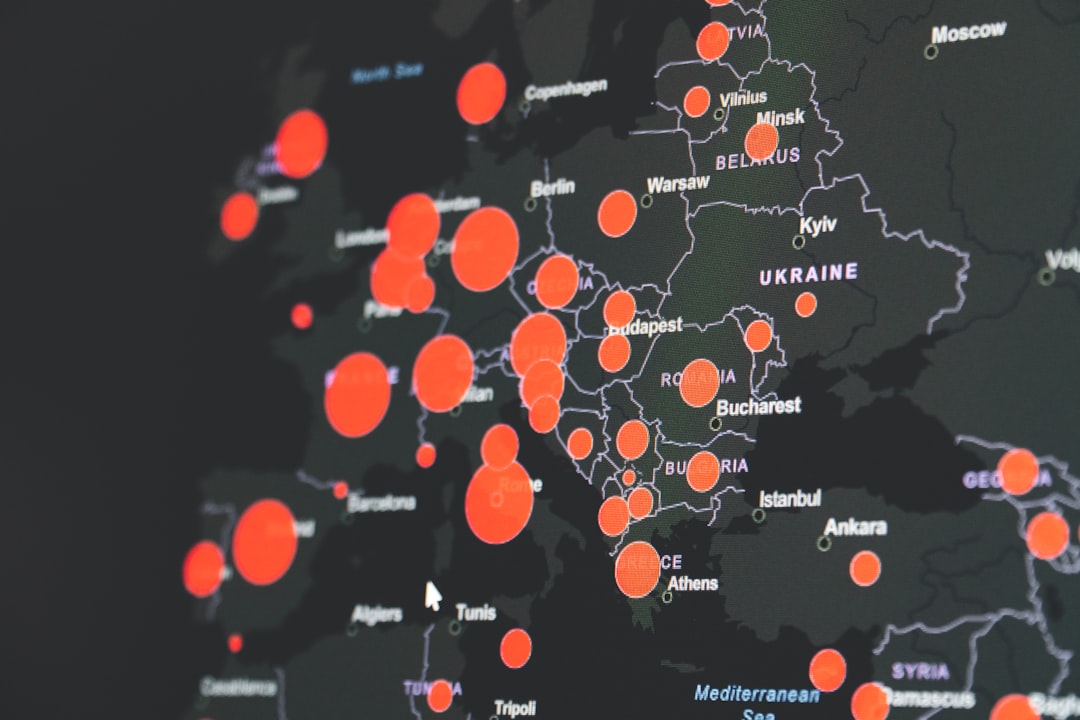
In the digital landscape, understanding user behavior is paramount for businesses aiming to enhance their online presence. Heat map tracking tools have emerged as essential instruments in this quest, providing visual representations of user interactions on websites. These tools capture data on where users click, scroll, and hover, translating complex user behavior into easily digestible visual formats.
By employing heat maps, website owners can gain insights into how visitors engage with their content, allowing for informed decisions that can significantly improve user experience and site performance. The rise of heat map tracking tools can be attributed to the increasing need for data-driven decision-making in web design and marketing strategies. As competition intensifies across various industries, businesses are compelled to leverage every available resource to optimize their websites.
Heat maps serve as a bridge between raw data and actionable insights, enabling marketers and web developers to visualize user engagement patterns. This visualization not only aids in identifying popular areas of a webpage but also highlights sections that may be underperforming or overlooked by users.
Key Takeaways
- Heat map tracking tools visually represent user interactions to help understand behavior on websites.
- Different types of heat maps (click, scroll, move) provide unique insights for optimizing site performance.
- Implementing and analyzing heat map data can significantly improve user experience and increase conversion rates.
- Avoid common pitfalls like misinterpreting data or over-relying on heat maps without other analytics.
- Integrating heat maps with other analytics tools enhances comprehensive website optimization strategies.
Understanding User Behavior with Heat Maps
Heat maps provide a unique lens through which to view user behavior on a website. By aggregating data from numerous visitors, these tools create a visual representation that indicates where users are most active. For instance, a click heat map displays areas of a webpage that receive the most clicks, often represented in warm colors like red and orange, while cooler colors like blue indicate less interaction.
This immediate visual feedback allows website owners to discern which elements are engaging users and which are not. Moreover, heat maps can reveal the scrolling behavior of users, showcasing how far down a page visitors typically scroll before losing interest. This information is crucial for content placement; if key messages or calls to action are located below the average scroll depth, they may go unnoticed.
By understanding these patterns, businesses can strategically position important content to align with user behavior, ensuring that critical information is readily accessible and engaging.
Benefits of Using Heat Map Tracking Tools for Website Performance
The advantages of employing heat map tracking tools extend beyond mere visualization of user interactions. One significant benefit is the ability to make data-driven design decisions.
For example, if a particular button is receiving minimal clicks, it may indicate that its placement or design is not appealing to users. Adjustments can then be made based on these insights, leading to improved engagement and overall site performance. Additionally, heat maps facilitate A/B testing by providing a clear visual comparison of user interactions between different versions of a webpage.
This capability allows marketers to experiment with various layouts, colors, and content placements while directly observing how these changes impact user behavior.
Types of Heat Maps and Their Uses
| Type of Heat Map | Description | Common Uses | Key Metrics |
|---|---|---|---|
| Geographical Heat Map | Displays data values across geographic locations using color gradients. | Population density, weather patterns, sales distribution, crime rates. | Location coordinates, intensity values, region boundaries. |
| Click Heat Map | Shows where users click most frequently on a webpage or app interface. | UX/UI optimization, identifying popular buttons or links, improving navigation. | Click counts, click density, user interaction points. |
| Scroll Heat Map | Visualizes how far users scroll down a webpage. | Content engagement analysis, optimizing page layout, improving content placement. | Scroll depth percentage, user drop-off points, average scroll length. |
| Mouse Movement Heat Map | Tracks and visualizes mouse cursor movements on a webpage. | Understanding user attention, improving design elements, behavioral analysis. | Cursor path density, hover time, movement frequency. |
| Density Heat Map | Represents the concentration of data points in a given area. | Crime hotspots, traffic congestion, event attendance, resource allocation. | Point density, cluster size, intensity levels. |
| Correlation Heat Map | Displays correlation coefficients between multiple variables using color coding. | Statistical analysis, feature selection, data exploration. | Correlation values, variable pairs, significance levels. |
Heat maps come in various forms, each serving distinct purposes in analyzing user behavior. The most common types include click heat maps, scroll heat maps, and attention heat maps. Click heat maps illustrate where users click on a webpage, providing insights into which elements attract attention and which are ignored.
This type of heat map is particularly useful for evaluating the effectiveness of calls to action and navigation menus. Scroll heat maps track how far down a page users scroll before losing interest. This information is vital for content-heavy pages where key messages may be buried beneath less engaging material.
By understanding scrolling behavior, website owners can optimize content placement to ensure that important information is visible without requiring excessive scrolling. Attention heat maps take this analysis a step further by indicating where users spend the most time on a page. This type of heat map can reveal which sections captivate users’ attention and which areas may need improvement.
By combining insights from all three types of heat maps, businesses can develop a comprehensive understanding of user behavior and make informed decisions about website design and content strategy.
How to Implement Heat Map Tracking on Your Website
Implementing heat map tracking on a website involves several straightforward steps that can yield significant insights into user behavior. The first step is selecting a suitable heat map tracking tool that aligns with the specific needs of the website. Popular options include Hotjar, Crazy Egg, and Mouseflow, each offering unique features and pricing structures.
Once a tool is chosen, the next step is to integrate it into the website’s codebase. Typically, this integration involves adding a small snippet of JavaScript code to the website’s header or footer. This code enables the tracking tool to collect data on user interactions without disrupting the site’s functionality.
After installation, it is essential to configure the tool according to the desired parameters, such as the pages to be tracked and the duration of data collection. Once set up, the tool will begin gathering data on user interactions in real-time. It is advisable to allow sufficient time for data accumulation before analyzing results; this period can vary depending on website traffic levels.
After collecting enough data, users can access the heat map visualizations through the tool’s dashboard, providing immediate insights into how visitors engage with their site.
Analyzing Heat Map Data for Website Optimization
Analyzing heat map data requires a systematic approach to extract meaningful insights that can inform website optimization strategies. The first step in this analysis is to identify patterns in user behavior by examining the visual representations provided by the heat maps. For instance, if a click heat map reveals that users are predominantly clicking on images rather than text links, it may indicate a need for clearer calls to action or more engaging visual content.
Next, it is crucial to compare heat map data across different segments of users or time periods. This comparative analysis can uncover trends related to specific demographics or seasonal changes in user behavior. For example, if data shows that mobile users interact differently than desktop users, businesses may need to consider responsive design adjustments or tailored content strategies for different devices.
Furthermore, integrating heat map data with other analytics metrics can provide a more holistic view of website performance. For instance, correlating heat map insights with bounce rates or conversion rates can help identify whether high engagement in certain areas translates into desired actions or if it merely reflects superficial interest without meaningful engagement.
Improving User Experience with Heat Map Insights
The ultimate goal of utilizing heat map tracking tools is to enhance user experience on websites. Insights gleaned from heat maps can inform various aspects of web design and content strategy that contribute to a more intuitive and engaging experience for visitors. For instance, if analysis reveals that users frequently overlook a critical call-to-action button due to its placement or color scheme, adjustments can be made to increase visibility and encourage interaction.
Moreover, understanding scrolling behavior through scroll heat maps allows businesses to prioritize content placement effectively. If users tend to drop off after scrolling past a certain point, it may be beneficial to reposition key information higher up on the page or break up lengthy content into more digestible sections. This approach not only improves user experience but also increases the likelihood of retaining visitors’ attention throughout their browsing journey.
Additionally, attention heat maps can guide content creation by highlighting which sections captivate users most effectively. By focusing on creating more engaging content in areas where users spend significant time, businesses can foster deeper connections with their audience and encourage repeat visits.
Utilizing Heat Map Tracking for Conversion Rate Optimization
Conversion rate optimization (CRO) is a critical aspect of digital marketing that aims to increase the percentage of visitors who take desired actions on a website. Heat map tracking tools play an instrumental role in this process by providing insights into user behavior that directly impact conversion rates. By analyzing click patterns and engagement levels with various elements on a webpage, businesses can identify opportunities for improvement.
For example, if a landing page’s primary call-to-action button receives minimal clicks while other elements attract significant attention, it may indicate that the button’s design or placement needs reevaluation. Adjustments such as changing the button’s color for better contrast or repositioning it within the user’s line of sight can lead to increased clicks and conversions. Furthermore, A/B testing facilitated by heat map analysis allows businesses to experiment with different versions of landing pages or product pages.
By comparing user interactions between variations, marketers can determine which design elements resonate best with their audience and optimize accordingly for maximum conversion potential.
Common Mistakes to Avoid When Using Heat Map Tracking Tools
While heat map tracking tools offer valuable insights into user behavior, there are common pitfalls that businesses should avoid to ensure effective utilization of these tools. One prevalent mistake is failing to set clear objectives before implementing heat map tracking. Without defined goals—such as improving specific conversion rates or enhancing user engagement—analyzing data may lead to inconclusive results or misguided decisions.
Another common error is neglecting to consider the context behind the data presented by heat maps. For instance, high click activity in an area may not necessarily indicate success; it could also reflect confusion if users are clicking on non-interactive elements out of frustration. Therefore, it is essential to combine heat map analysis with qualitative research methods such as user surveys or interviews to gain deeper insights into user motivations and experiences.
Additionally, relying solely on heat map data without integrating it with other analytics tools can limit understanding of overall website performance. Combining heat map insights with metrics such as traffic sources or user demographics provides a more comprehensive view of how different factors influence user behavior.
Integrating Heat Map Tracking with Other Analytics Tools
To maximize the effectiveness of heat map tracking tools, integrating them with other analytics platforms is crucial for obtaining a holistic view of website performance. Tools like Google Analytics provide valuable metrics such as traffic sources, bounce rates, and session durations that complement the visual insights offered by heat maps. By correlating these metrics with heat map data, businesses can identify trends and patterns that inform strategic decisions.
For instance, if a particular traffic source leads to high engagement as indicated by click heat maps but also has a high bounce rate according to Google Analytics, it may suggest that while users are initially interested in the content, they do not find what they expect upon arrival. This insight could prompt further investigation into optimizing landing pages for specific traffic sources. Moreover, integrating customer relationship management (CRM) systems with heat map tracking tools allows businesses to analyze user behavior in conjunction with customer profiles and purchase histories.
This integration enables personalized marketing strategies based on individual preferences and behaviors observed through both quantitative and qualitative data sources.
Choosing the Right Heat Map Tracking Tool for Your Website
Selecting an appropriate heat map tracking tool requires careful consideration of various factors tailored to meet specific business needs. The first step is evaluating the features offered by different tools; some may provide advanced functionalities such as session recording or funnel analysis alongside standard heat mapping capabilities. Businesses should assess whether these additional features align with their objectives for using heat maps.
Pricing structures also play a significant role in decision-making; some tools offer free versions with limited capabilities while others operate on subscription models based on website traffic volume or feature access levels. It is essential for businesses to weigh their budget against potential benefits when choosing a tool. User-friendliness is another critical factor; an intuitive interface allows teams—especially those without extensive technical expertise—to navigate the tool effectively and derive actionable insights from the data collected.
Additionally, customer support options should be considered; responsive support teams can assist with troubleshooting issues or optimizing tool usage for maximum effectiveness. In conclusion, understanding how to leverage heat map tracking tools effectively can significantly enhance website performance by providing valuable insights into user behavior and preferences. By implementing these tools thoughtfully and integrating them with other analytics platforms, businesses can create more engaging online experiences that drive conversions and foster customer loyalty.
FAQs
What are heat map tracking tools?
Heat map tracking tools are software applications that visually represent user interactions on a website or app by using color-coded maps. These maps highlight areas with the most clicks, taps, or mouse movements, helping to analyze user behavior and improve design and usability.
How do heat map tracking tools work?
Heat map tracking tools collect data on user interactions such as clicks, scrolls, and mouse movements. This data is then aggregated and displayed as a heat map, where warmer colors (like red and orange) indicate higher activity, and cooler colors (like blue and green) indicate lower activity.
What types of heat maps are commonly used?
Common types of heat maps include click maps (showing where users click), scroll maps (indicating how far users scroll down a page), and move maps (tracking mouse movement patterns). Some tools also offer attention maps and eye-tracking heat maps.
Why are heat map tracking tools important for website optimization?
Heat map tracking tools provide insights into user behavior, helping website owners understand which areas attract the most attention and which are ignored. This information can be used to optimize layout, improve navigation, increase conversions, and enhance overall user experience.
Are heat map tracking tools suitable for all types of websites?
Yes, heat map tracking tools can be used for various types of websites, including e-commerce, blogs, corporate sites, and landing pages. They are valuable for any site looking to analyze user engagement and improve performance.
Do heat map tracking tools affect website performance?
Most modern heat map tracking tools are designed to have minimal impact on website loading times and performance. However, it is important to choose a reputable tool and configure it properly to avoid any potential slowdowns.
Is user privacy a concern with heat map tracking tools?
Heat map tracking tools typically anonymize user data and comply with privacy regulations such as GDPR. However, website owners should ensure that their use of these tools is transparent and that users are informed through privacy policies or consent banners.
Can heat map tracking tools be integrated with other analytics platforms?
Many heat map tracking tools offer integration with popular analytics platforms like Google Analytics, allowing for a more comprehensive analysis of user behavior and website performance.
Are heat map tracking tools easy to use?
Most heat map tracking tools feature user-friendly interfaces and require minimal technical knowledge to set up. They often provide visual reports and actionable insights that are accessible to marketers, designers, and developers alike.
Do heat map tracking tools offer real-time data?
Some heat map tracking tools provide real-time or near-real-time data, enabling website owners to monitor user interactions as they happen. However, the availability of real-time tracking depends on the specific tool and its features.



0 Comments