




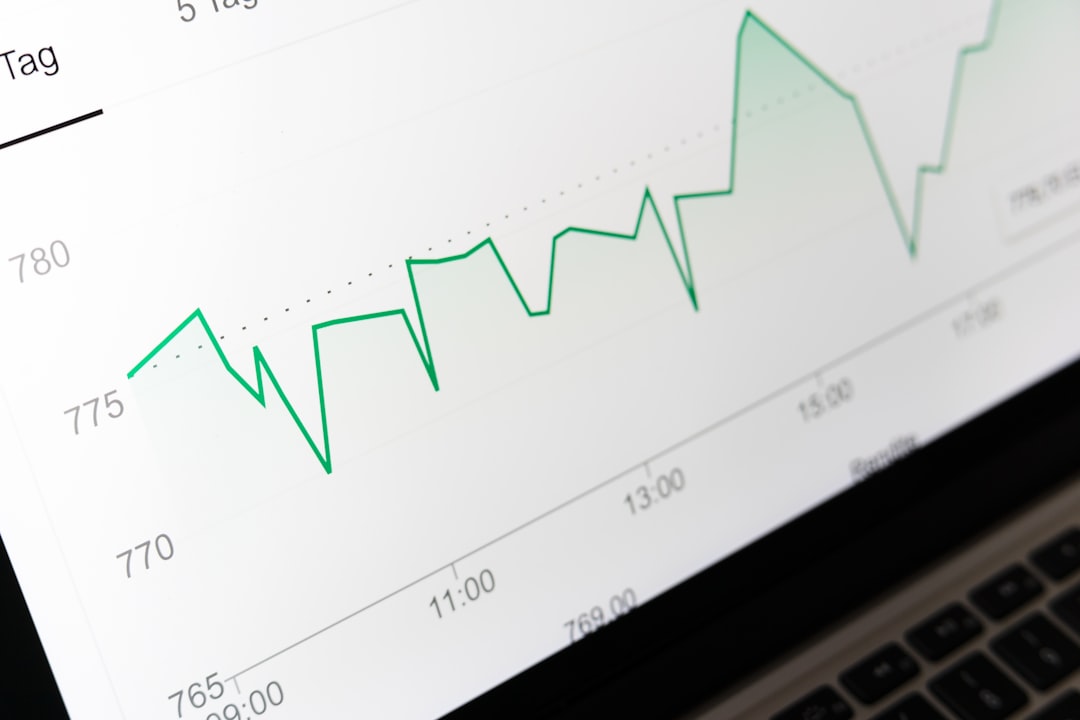
Page interaction analytics is a specialized branch of web analytics that measures and analyzes user engagement with website content. This discipline employs various metrics and analytical tools to track user behavior patterns, enabling website administrators and digital marketers to identify which page elements perform effectively and which require optimization. The analysis covers user interactions with webpage components including clickable buttons, hyperlinks, images, and text content, providing quantifiable data on user preferences and behavioral trends.
This information serves as the foundation for evidence-based user experience optimization and website performance enhancement strategies. Page interaction analytics generates data that reveals user behavior patterns beyond conventional web metrics such as page views or unique visitor counts. The analytics capture detailed engagement metrics including time spent on specific page sections, click frequency on individual elements, scroll depth, and user exit points.
This granular data collection provides comprehensive insights into user engagement levels, allowing organizations to make data-driven decisions regarding content strategy and interface design modifications that align with documented user behavior patterns and preferences.
Key Takeaways
- Page interaction analytics provide insights into how users engage with website content.
- Key metrics like click patterns, scroll depth, and heatmaps help identify user behavior trends.
- Optimizing page design and using A/B testing can significantly improve user engagement.
- Session recordings and feedback surveys offer qualitative data to enhance user experience.
- Tracking page interaction is essential for measuring conversion rates and overall site effectiveness.
Importance of Page Interaction Analytics for Engagement
The significance of page interaction analytics cannot be overstated, particularly in an era where user engagement is paramount to online success. Understanding how users interact with a website provides actionable insights that can lead to improved content strategies, enhanced user experiences, and ultimately higher conversion rates. When businesses leverage these analytics effectively, they can create more engaging and relevant content that resonates with their target audience, fostering a deeper connection between the user and the brand.
Moreover, page interaction analytics helps identify potential barriers to engagement. For example, if analytics reveal that users frequently abandon a page after scrolling a certain distance, it may indicate that the content is not compelling enough or that the layout is confusing. By addressing these issues, businesses can enhance user satisfaction and retention.
In a competitive digital landscape, where users have countless options at their fingertips, understanding and improving engagement through page interaction analytics is essential for maintaining a competitive edge.
Key Metrics to Measure Page Interaction

Several key metrics are integral to measuring page interaction effectively. One of the most important is the click-through rate (CTR), which indicates the percentage of users who click on a specific link or button compared to the total number of visitors. A high CTR suggests that the content is engaging and relevant, while a low CTR may signal the need for adjustments in messaging or placement.
Another crucial metric is time on page, which measures how long users stay on a particular page before navigating away. This metric can provide insights into whether users find the content valuable or if they are quickly losing interest. Bounce rate is another vital metric in the realm of page interaction analytics.
It represents the percentage of visitors who leave a site after viewing only one page. A high bounce rate may indicate that users are not finding what they expected or that the landing page is not effectively capturing their interest. Additionally, scroll depth is an important metric that tracks how far down a page users scroll before leaving.
This data can help identify which sections of content are most engaging and which may need improvement to encourage users to explore further.
Using Heatmaps to Analyze User Behavior
Heatmaps are powerful visualization tools that provide an intuitive way to analyze user behavior on a webpage. By representing data visually, heatmaps allow website owners to see where users are clicking, scrolling, and hovering on their pages. This information can be invaluable for understanding user preferences and optimizing page layout.
For instance, a heatmap may reveal that users are predominantly clicking on certain areas of a page while ignoring others, indicating which elements are most engaging. There are different types of heatmaps, including click heatmaps, scroll heatmaps, and attention heatmaps.
Scroll heatmaps illustrate how far down the page users typically scroll, providing insights into content engagement levels. Attention heatmaps combine both click and scroll data to highlight areas that attract the most attention from users. By analyzing these heatmaps, businesses can make informed decisions about where to place key content or calls to action to maximize user engagement.
Optimizing Page Design for Better Interaction
| Metric | Description | Example Value | Unit |
|---|---|---|---|
| Page Views | The total number of times a page is loaded or reloaded. | 12,345 | views |
| Unique Visitors | The number of distinct users who visited the page. | 8,765 | users |
| Average Time on Page | The average duration users spend on the page. | 3:45 | minutes:seconds |
| Click-Through Rate (CTR) | Percentage of users who clicked on a link or button on the page. | 4.2 | % |
| Bounce Rate | Percentage of visitors who leave the site after viewing only this page. | 38.7 | % |
| Scroll Depth | Average percentage of the page scrolled by users. | 67 | % |
| Conversion Rate | Percentage of visitors who completed a desired action on the page. | 2.5 | % |
| Exit Rate | Percentage of users who left the site from this page. | 29.4 | % |
Optimizing page design is crucial for enhancing user interaction and engagement. A well-designed webpage should be visually appealing while also being functional and easy to navigate. Key design principles include ensuring that important information is easily accessible and that calls to action stand out without overwhelming the user experience.
For example, using contrasting colors for buttons can draw attention to them, encouraging more clicks. Additionally, responsive design is essential in today’s mobile-first world. With an increasing number of users accessing websites via smartphones and tablets, ensuring that pages are optimized for various screen sizes is critical for maintaining engagement.
Furthermore, simplifying navigation by using clear menus and logical pathways can help guide users through the site more effectively, reducing frustration and increasing the likelihood of interaction.
Implementing A/B Testing for Page Interaction

A/B testing is a powerful method for optimizing page interaction by comparing two versions of a webpage to determine which performs better in terms of user engagement. This process involves creating two variations of a page—Version A and Version B—and directing traffic to both versions simultaneously. By analyzing metrics such as click-through rates, time on page, and conversion rates for each version, businesses can identify which design or content elements resonate more with their audience.
For instance, if a company is unsure whether a red or green button will yield higher click-through rates, they can implement an A/B test to compare the two options directly. The results will provide concrete data on user preferences, allowing the business to make informed decisions based on actual user behavior rather than assumptions. A/B testing not only helps optimize individual pages but also contributes to broader marketing strategies by providing insights into what drives user engagement across different channels.
Leveraging Scroll Depth Analytics for Engagement
Scroll depth analytics is an essential tool for understanding how far down a webpage users typically scroll before leaving or taking action. This metric provides valuable insights into content engagement levels and helps identify which sections of a page capture user interest effectively. By analyzing scroll depth data, businesses can determine whether their content is compelling enough to encourage users to explore further or if adjustments are needed to improve engagement.
For example, if analytics show that most users only scroll 50% down a long article before leaving, it may indicate that the introduction needs to be more engaging or that key information should be placed higher on the page. Additionally, scroll depth analytics can inform decisions about content length and layout; if users consistently drop off at a certain point in lengthy articles, it may be beneficial to break up the content with visuals or interactive elements to maintain interest.
Analyzing Click Patterns for User Engagement
Analyzing click patterns is another critical aspect of understanding user engagement on a webpage. By examining where users click most frequently—whether on navigation links, images, or calls to action—businesses can gain insights into what captures their audience’s attention and drives interaction. This analysis can reveal trends in user behavior that inform design decisions and content strategies.
For instance, if click pattern analysis shows that users are consistently clicking on an image rather than a text link intended as a call to action, it may indicate that the image is more visually appealing or relevant to their interests. In such cases, businesses might consider making the image clickable or redesigning the call-to-action text to better align with user preferences. Understanding click patterns allows companies to refine their approach continually and create more engaging experiences tailored to their audience’s behaviors.
Using Session Recording to Understand User Interaction
Session recording tools provide an invaluable resource for understanding how individual users interact with a website in real-time. By capturing video recordings of user sessions, businesses can observe firsthand how visitors navigate through their pages, where they encounter difficulties, and what elements they engage with most frequently. This qualitative data complements quantitative metrics by providing context around user behavior.
For example, session recordings might reveal that users struggle with a particular form due to unclear instructions or confusing layout elements. By identifying these pain points through direct observation, businesses can make targeted improvements that enhance usability and increase overall engagement. Additionally, session recordings can help validate findings from other analytics tools by providing visual evidence of user interactions and behaviors.
Incorporating Feedback Surveys for Page Interaction
Incorporating feedback surveys into web pages is an effective way to gather direct insights from users about their experiences and interactions with the site. These surveys can be strategically placed at various points during the user journey—such as after completing a purchase or after spending a certain amount of time on a page—to capture relevant feedback when it is most meaningful. By asking specific questions about usability, content relevance, and overall satisfaction, businesses can gain valuable insights into areas for improvement.
For instance, a simple pop-up survey asking users about their experience navigating a particular section of the site can provide immediate feedback on what works well and what doesn’t. This direct input from users complements other analytical tools by offering qualitative data that helps explain why certain metrics may be performing as they are. Moreover, actively seeking feedback demonstrates to users that their opinions matter, fostering a sense of community and encouraging ongoing engagement.
Measuring Conversion Rates through Page Interaction Tracking
Measuring conversion rates through page interaction tracking is essential for understanding how effectively a website turns visitors into customers or leads. Conversion rates reflect the percentage of visitors who complete desired actions—such as making a purchase, signing up for a newsletter, or filling out a contact form—relative to total visitors. By analyzing how different elements of a webpage influence these conversions, businesses can identify what drives successful interactions.
For example, if tracking reveals that conversion rates significantly increase when specific calls-to-action are prominently displayed or when certain types of content are featured more prominently on landing pages, businesses can adjust their strategies accordingly. Additionally, understanding conversion rates in conjunction with other interaction metrics—such as time on page or bounce rate—can provide deeper insights into user behavior patterns leading up to conversions. This comprehensive approach enables businesses to refine their marketing efforts continually and optimize their websites for maximum effectiveness in achieving desired outcomes.
FAQs
What is page interaction analytics?
Page interaction analytics refers to the process of collecting and analyzing data on how users interact with a webpage. This includes tracking clicks, scrolls, mouse movements, time spent on elements, and other user behaviors to understand engagement and improve user experience.
Why is page interaction analytics important?
Page interaction analytics helps website owners and marketers understand how visitors engage with their content. This insight allows them to optimize page design, improve navigation, increase conversions, and enhance overall user satisfaction.
What types of user interactions are tracked in page interaction analytics?
Common interactions tracked include clicks on buttons and links, scrolling behavior, mouse movements, form submissions, video plays, hover events, and time spent on specific sections of a page.
How is page interaction data collected?
Data is typically collected using JavaScript tracking codes embedded in the webpage. These scripts capture user actions and send the information to analytics platforms for processing and reporting.
What tools are commonly used for page interaction analytics?
Popular tools include Google Analytics (with enhanced event tracking), Hotjar, Crazy Egg, Mixpanel, and Adobe Analytics. These platforms offer various features for tracking and visualizing user interactions.
Can page interaction analytics improve website conversion rates?
Yes, by analyzing how users interact with a page, businesses can identify obstacles or friction points and make data-driven changes to improve user flow, leading to higher conversion rates.
Is page interaction analytics compliant with privacy regulations?
Compliance depends on how data is collected and used. Websites must ensure they follow regulations like GDPR and CCPA by obtaining user consent, anonymizing data when necessary, and providing clear privacy policies.
How does page interaction analytics differ from traditional web analytics?
Traditional web analytics focuses on metrics like page views, sessions, and bounce rates, while page interaction analytics delves deeper into specific user behaviors on the page, providing more granular insights into user engagement.
Can page interaction analytics be used for A/B testing?
Yes, interaction data can help measure the effectiveness of different page versions by comparing how users engage with each variant, enabling informed decisions on design and content changes.
What challenges exist in implementing page interaction analytics?
Challenges include ensuring accurate data collection, managing large volumes of data, respecting user privacy, and interpreting complex interaction patterns to derive actionable insights.




0 Comments